Did you know that 65% of knowledge workers spend nearly 20% of their time searching for information? I was shocked when I first learned this stat, and it got me thinking: there’s got to be a better way!
Enter Perplexity AI Pro. As someone who’s been in the content creation game for over a decade, I can tell you that this tool is a game-changer. It’s like having a super-smart research assistant who never sleeps and never complains about the workload.
But here’s the thing: with so many features packed into Perplexity AI Pro, it can be overwhelming to know where to start. That’s why I’ve put together this guide to the 11 most game-changing features you absolutely need to try.
Ready to supercharge your research and content creation? Let’s dive in!
[Internal link: Not sure if Perplexity AI Pro is right for you? Check out our detailed comparison of Perplexity AI Pro vs Free plans.]
Perplexity AI has quickly become a go-to tool for researchers, content creators, and professionals seeking accurate, AI-powered answers. The Pro version takes this capability to the next level, offering a suite of advanced features that transform how we interact with information. Before we dive into the specifics, take a look at this comprehensive video guide that showcases just how powerful Perplexity AI can be for research:
1. Unlimited Pro Searches: Your Gateway to Infinite Knowledge
Remember the days when you’d hit a search limit and feel like you’d just run face-first into a brick wall? Yeah, those days are over, my friend. With Perplexity AI Pro, you get access to a whopping 600 Pro searches per day. That’s enough to make even the most curious cat purr with satisfaction!
But it’s not just about quantity – it’s about quality too. These Pro searches dive deeper and provide more contextual answers than your average quick search. It’s like the difference between skimming the surface of a puddle and diving into the Mariana Trench.
I’ll never forget the time I was working on a massive research project about the impact of AI on healthcare. With unlimited Pro searches at my fingertips, I was able to explore every nook and cranny of the topic. I started with the basics, then delved into specific AI applications in diagnostics, moved on to ethical considerations, and even explored future predictions.
The best part? I didn’t have to worry about running out of searches or hitting a paywall. It was like having an all-you-can-eat buffet of information, and let me tell you, I feasted!
But here’s a pro tip: with great power comes great responsibility. It’s easy to get lost in the rabbit hole of endless information. Set a timer or limit yourself to a certain number of searches per topic. Trust me, your productivity (and your sanity) will thank you!
[Internal link: Want to make the most of your Pro searches? Check out our User Guide for tips and tricks on optimizing your Perplexity AI Pro experience.]
2. Advanced AI Model Selection: Choose Your Perfect AI Partner
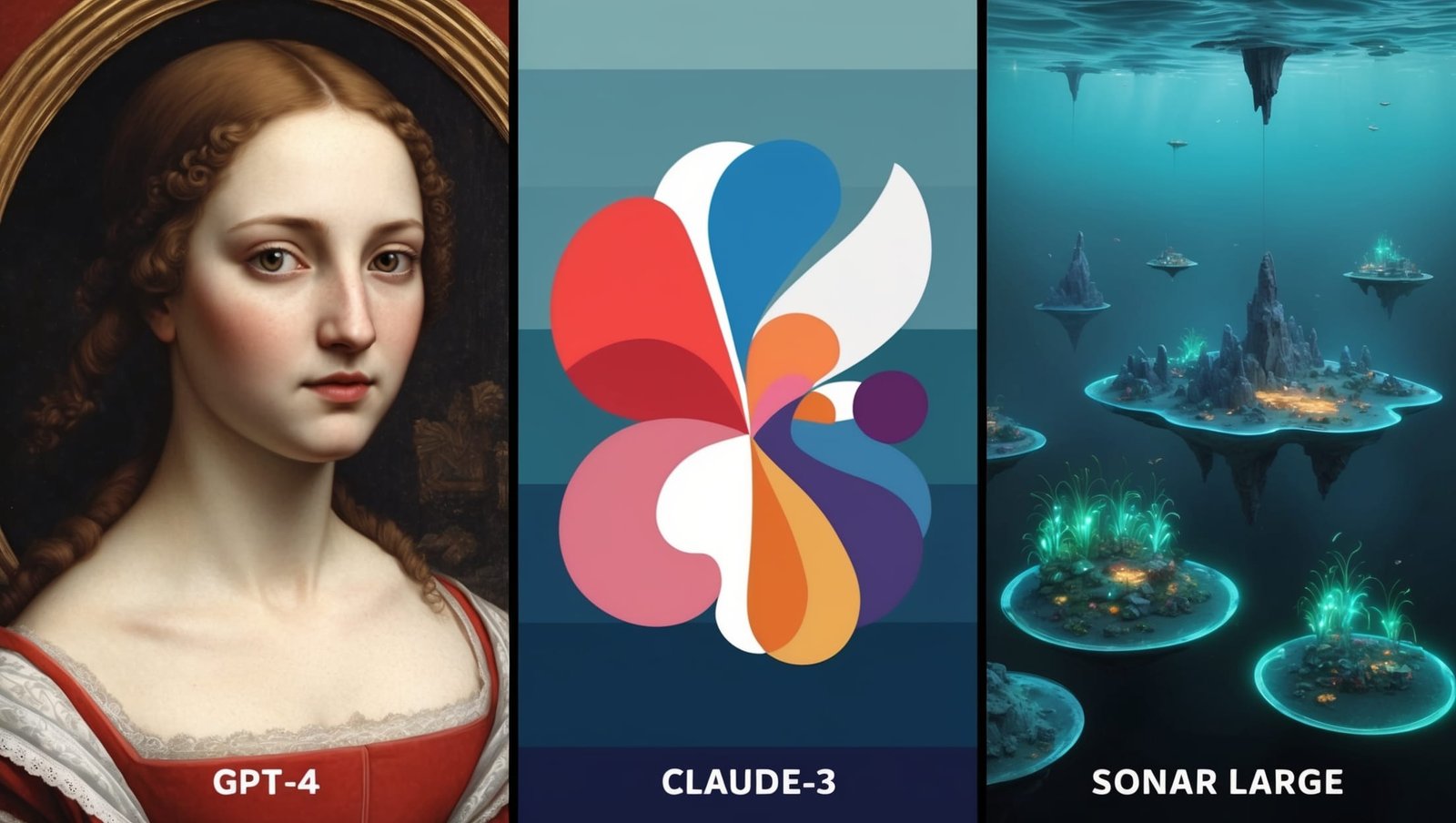
Alright, let’s talk about something that really gets my gears turning – the ability to choose between different AI models in Perplexity AI Pro. It’s like having a Swiss Army knife of AI at your fingertips!
When I first saw the option to select different AI models, I’ll admit, I was a bit overwhelmed. GPT-4, Claude-3, Sonar Large… it sounded like a lineup of superheroes! But as I started experimenting with them, I realized how incredibly useful this feature is.
Each model has its own strengths, and being able to choose between them is a game-changer. For instance, when I’m working on creative writing projects, I love using GPT-4. Its ability to understand context and generate human-like text is mind-blowing. There was this one time when I was struggling with writer’s block, and GPT-4 helped me brainstorm ideas that kickstarted my creativity.
On the other hand, when I’m dealing with complex analytical tasks, I often turn to Claude-3. Its logical reasoning capabilities have saved my bacon more than once when I’ve been crunching numbers for client reports. And let’s not forget about Sonar Large (LLaMa 3) – it’s become my go-to for tasks that require a balance of creativity and analytical thinking.
But here’s the real kicker – as new models are developed and added to Perplexity AI Pro, we get to experiment with them right away. It’s like being on the cutting edge of AI technology, and I gotta say, it makes me feel pretty darn cool!
Pro tip: Don’t be afraid to switch between models for different parts of your project. You might use one for brainstorming, another for analysis, and a third for polishing your final output. It’s all about finding the right tool for the job!
3. Unlimited File Upload and Analysis: Turn Documents into Gold Mines

You know that feeling when you’re drowning in a sea of documents, desperately trying to find that one crucial piece of information? Yeah, been there, done that. But let me tell you, Perplexity AI Pro’s unlimited file upload and analysis feature has been a total lifesaver.
I remember this one project where I had to analyze a bunch of annual reports for a market research study. We’re talking hundreds of pages of dense financial jargon. In the past, I would’ve spent days poring over those documents, probably missing half the important stuff because my eyes were glazing over. But with Perplexity AI Pro, I just uploaded all the PDFs and let the AI work its magic.
The AI was able to extract key insights from all those reports in a fraction of the time it would’ve taken me. It identified trends, flagged important data points, and even made connections between different documents that I might have missed. And the best part? I could upload as many documents as I needed without any limitations.
But here’s a word of caution – with great power comes great responsibility. It’s easy to get carried away and upload every document under the sun. Remember, the AI is there to assist you, not replace your critical thinking. Always review the AI’s analysis and cross-reference important information.
Pro tip: Before uploading a large batch of documents, start with a small sample to get a feel for how the AI analyzes them. This can help you refine your approach and get better results when you tackle the full set.
[Internal link: Curious about other ways Perplexity AI Pro can streamline your workflow? Check out our guide on Business Applications of Perplexity AI Pro.]
4. AI-Powered Image Generation: Bringing Ideas to Life

Alright, I’ve got a confession to make – I’m about as artistic as a potato. Seriously, my stick figures look like they’re having existential crises. So when I heard about the AI-powered image generation feature in Perplexity AI Pro, I was both excited and skeptical. Could it really help someone like me create decent visuals?
Well, let me tell you, it blew my mind! With the ability to generate up to 50 images per day using various AI models, I suddenly found myself creating visuals that actually looked… good? It was like magic!
I remember the first time I used it for a blog post about sustainable gardening. I needed an image of a futuristic vertical garden in an urban setting. I described what I wanted to DALL-E, and boom! In seconds, I had a stunning image that perfectly captured my vision. It was way better than anything I could have created myself or found in a stock photo library.
But it’s not just about creating pretty pictures. This feature has become an integral part of my content creation process. Whether I’m working on a presentation, a social media post, or a website design, I can now quickly generate custom images that perfectly match my content. It’s like having a professional graphic designer on call 24/7.
And the variety of AI models available is fantastic. DALL-E is great for realistic images, Stable Diffusion XL excels at artistic interpretations, and Playground AI is perfect for more abstract concepts. It’s like having a whole team of artists with different styles at my fingertips.
Pro tip: Don’t be afraid to iterate! If your first attempt doesn’t quite hit the mark, try refining your description or switching to a different AI model. Sometimes it takes a few tries to get exactly what you’re looking for.
[Internal link: Want to learn more about using AI-generated images in your content? Check out our guide on Content Creation with Perplexity AI Pro.]
5. Enhanced Copilot Experience: Your Personal AI Sidekick

You know how in superhero movies, the hero always has a super-smart AI assistant helping them out? Well, with Perplexity AI Pro’s enhanced Copilot experience, I feel like I’ve got my own JARVIS (minus the cool British accent, unfortunately).
This feature has completely transformed how I approach research and problem-solving. It’s like having a brilliant colleague who’s always ready to brainstorm, provide insights, and guide me through complex topics. And the best part? It learns from our interactions, getting better at understanding my needs and interests over time.
I remember when I was working on a project about renewable energy technologies. I started with a simple question about solar panels, and before I knew it, the Copilot had guided me through an in-depth exploration of various renewable energy sources, their pros and cons, and even emerging technologies in the field. It was like going on an intellectual adventure, with the Copilot as my trusty guide.
What I love most about this feature is how it encourages curiosity. It doesn’t just give me answers; it prompts me to ask better questions. There have been times when a casual query has led to fascinating tangents that ended up being incredibly valuable for my work. It’s like having a conversation with the smartest person in the room, except this room contains all the knowledge in the world!
But here’s a word of caution – the enhanced Copilot experience can be addictive. There have been nights when I’ve fallen down research rabbit holes, jumping from topic to topic, completely losing track of time. It’s like binge-watching Netflix, but for your brain. Not that I’m complaining – who wouldn’t want to binge on knowledge?
Pro tip: Use the Copilot to challenge your assumptions. Ask it to provide counterarguments or alternative perspectives on your ideas. This can help you develop a more well-rounded understanding of complex topics.
6. API Access and Integration: Supercharging Your Workflow

You know that feeling when you discover a tool that’s so good, you want to use it for everything? That’s exactly how I felt when I learned about the API access and integration feature in Perplexity AI Pro. It’s like having a superpower that you can plug into any part of your work life.
First off, let me tell you about the $5 monthly credit for API usage. It might not sound like much, but trust me, it goes a long way. I remember when I first started experimenting with the API, I was worried I’d burn through that credit in no time. But to my surprise, it was more than enough for my initial projects. It’s like Perplexity is saying, “Here, have a taste of our awesome API. We bet you’ll love it!”
Now, let’s talk about integration. Oh boy, where do I even start? I’ve integrated Perplexity AI into so many of my workflows, it’s hard to remember how I managed before. For instance, I created a custom script that automatically summarizes my daily news feeds using the Perplexity API. It’s like having a personal news curator who knows exactly what I’m interested in.
But the real game-changer was when I integrated it into my content management system. Now, every time I’m writing an article, I can fact-check in real-time, generate relevant statistics, and even get suggestions for related topics – all without leaving my writing environment. It’s like having a research assistant who works at the speed of thought!
Pro tip: Start small with your API integrations. It’s easy to get overwhelmed by all the possibilities. Pick one workflow that could benefit from AI assistance and build from there. Before you know it, you’ll have a whole ecosystem of AI-powered tools at your fingertips!
[Internal link: Ready to dive into API integration? Check out our Developer Documentation for step-by-step guides and best practices.]
7. Ad-Free Experience: Focus Like Never Before

Let’s talk about something that’s been driving me crazy lately – ads. They’re everywhere, right? Popping up, flashing, distracting you just when you’re about to have that brilliant idea. Well, let me tell you about the day I discovered the ad-free experience in Perplexity AI Pro. It was like someone turned down the volume on the internet!
I remember the first time I logged into my ad-free Perplexity AI Pro account. The clean, streamlined interface nearly brought tears to my eyes. Okay, maybe I’m exaggerating a bit, but it was a beautiful sight. No more flashy banners, no more “One Weird Trick” clickbait, just pure, unadulterated information at my fingertips.
The difference in my productivity was immediate and dramatic. I used to spend so much time just… waiting. Waiting for pages to load, waiting for ads to finish playing, waiting for my brain to refocus after being bombarded with irrelevant information. With the ad-free experience, it’s like my thoughts can flow uninterrupted from my brain to the AI and back again.
But it’s not just about the lack of visual clutter. The ad-free experience means faster load times too. I didn’t realize how much those milliseconds added up until they were gone. Now, when I’m in the middle of a research sprint, I can jump from query to query without any lag. It’s like my thoughts are keeping pace with the AI, and let me tell you, that’s a pretty exhilarating feeling!
Pro tip: Take advantage of the distraction-free environment to practice deep work. Set aside blocks of time where you focus solely on using Perplexity AI Pro for a specific task. You’ll be amazed at how much you can accomplish when your mind isn’t constantly being pulled in different directions.
[Internal link: Want to learn more about optimizing your Perplexity AI Pro experience? Check out our Tips & Tricks guide for expert advice.]
8. Priority Support: Your Personal AI Concierge

Alright, let’s talk about something that doesn’t get enough love – customer support. I know, I know, it’s not the sexiest topic, but hear me out. The priority support you get with Perplexity AI Pro is like having a personal AI concierge, and it’s been a total game-changer for me.
I remember the first time I ran into a tricky issue with Perplexity AI. It was late at night, I was deep into a project, and suddenly, things weren’t working quite right. In the past, this would have been a recipe for a stress-induced meltdown. But with Perplexity AI Pro’s priority support, I felt like I had a lifeline.
I fired off a quick message explaining my problem, fully expecting to wait until the next day for a response. But to my surprise, I got a reply within minutes! It was like having a tech-savvy friend on speed dial, ready to swoop in and save the day at a moment’s notice.
The support team didn’t just solve my immediate problem – they went above and beyond. They walked me through some advanced features I hadn’t even discovered yet, and suddenly, what started as a frustrating roadblock turned into an opportunity to level up my skills.
But it’s not just about fixing problems. The priority support team has become an invaluable resource for helping me maximize my Perplexity AI Pro experience. I’ve reached out with questions about best practices, tips for using specific features, and even ideas for potential updates. Every time, I’ve received thoughtful, personalized responses that have helped me get more out of the tool.
Pro tip: Don’t be shy about reaching out to the support team with your ideas and feedback. They’re not just there to fix problems – they’re genuinely interested in helping users get the most out of Perplexity AI Pro. Your input could shape the future of the tool!
[Internal link: Have a question that’s not covered in our support resources? Check out our Community Forum to connect with other Perplexity AI Pro users and share tips and tricks.]
9. Early Access to New Features: Riding the Cutting Edge of AI

Okay, let me geek out for a minute here. You know that feeling when you get to play with a new gadget before anyone else? That’s exactly what it’s like having early access to new features with Perplexity AI Pro. It’s like being part of an exclusive club for AI enthusiasts, and let me tell you, it’s pretty darn exciting!
I remember the first time I got an email announcing early access to a new AI model. My heart actually skipped a beat. I felt like a kid on Christmas morning, rushing to log in and see what new toys I had to play with. And boy, did it deliver!
Being among the first to try new AI models is like getting a glimpse into the future. Once, I got early access to a language model that could understand and generate code. As a programming enthusiast, I spent hours testing its limits. It felt like I was pushing the boundaries of AI, and it was exhilarating!
But it’s not just about the thrill. Early access has given me a competitive edge in my work. I’ve implemented cutting-edge AI features in projects before they’re widely available. Clients are always impressed by these “magical” solutions – little do they know, it’s all thanks to Perplexity AI Pro!
The coolest part? We get to shape the future of Perplexity AI. I once suggested a feature for data analysis, and they actually implemented it in the next update! It’s incredible to know your input can make a real difference.
Of course, it’s not always smooth sailing. New features can be quirky. I once spent an afternoon figuring out why a model kept translating everything into pirate speak. A bug, apparently – though part of me wishes they’d kept it as an option!
Early access has helped me stay ahead of industry trends. By the time new AI capabilities become widely known, I’ve already had months of experience with them. It’s like having a crystal ball for tech trends!
In short, early access to new features in Perplexity AI Pro is more than just a cool perk. It’s a valuable tool for staying at the forefront of AI technology, a way to contribute to its development, and yes, a whole lot of fun too. If you’re passionate about AI and love being on the cutting edge, this feature alone makes Perplexity AI Pro worth it.
10. Cross-Device Synchronization: Your AI Assistant, Everywhere You Go

You know that feeling when you have a brilliant idea, but you’re nowhere near your computer? Or when you’re in a meeting and need to reference something you researched last week? Well, let me tell you about the day cross-device synchronization in Perplexity AI Pro changed my life.
I remember it like it was yesterday. I was on a camping trip with my family, completely disconnected from the world, when inspiration struck for a project I’d been struggling with for weeks. In the past, I would have scribbled some notes on a napkin and hoped I’d remember the details when I got back to civilization. But this time, I pulled out my phone, opened Perplexity AI Pro, and started brainstorming right there in the middle of the woods!
When I got back to my office on Monday, I opened my laptop, and there it was – every search, every saved thread, right where I left off. It was like magic! I felt like I had a personal assistant who had followed me from the campsite to the office, meticulously recording every fleeting thought.
But it’s not just about convenience (although, trust me, it’s incredibly convenient). This feature has completely transformed the way I work. I used to be chained to my desk, afraid to step away in case I lost my train of thought. Now, I’m free to work wherever inspiration strikes. Coffee shop? Check. Park bench? Absolutely. Middle of the night when I can’t sleep? You bet!
There was this one time when I was in a crucial client meeting, and they asked a question about an obscure industry trend. In the past, I would have had to fumble through my notes or promise to “get back to them.” But with cross-device sync, I simply pulled out my tablet, quickly searched through my Perplexity AI Pro history, and found the exact information we needed. The client was impressed, and I felt like a rockstar!
Now, I’ll be honest – this level of accessibility can be a double-edged sword. There have been times when I’ve found myself going down AI research rabbit holes when I should be, you know, paying attention to my kid’s soccer game. Or having a conversation with my spouse. Or watching where I’m walking (pro tip: maybe don’t try to use Perplexity AI while navigating busy sidewalks). But that’s on me, not the technology. As with any powerful tool, it’s all about how you use it.
Pro tip: Set boundaries for yourself. Just because you can access your work anywhere doesn’t mean you should. Designate specific times for deep work and times for disconnecting. Your brain (and your loved ones) will thank you!
[Internal link: Want to learn more about balancing productivity and well-being? Check out our guide on Maximizing Efficiency with Perplexity AI Pro.]
11. Code Interpreter: Bringing AI Power to Your Programming Tasks

As someone who dabbles in coding, I was thrilled when Perplexity AI Pro introduced the Code Interpreter feature. It’s like having a brilliant coding buddy who’s always ready to help, no matter how complex your programming challenge might be.
I remember the first time I used it – I was working on a data analysis project and struggling with a particularly tricky piece of Python code. I’d been staring at my screen for hours, feeling like I was going cross-eyed trying to spot the bug. On a whim, I decided to give the Code Interpreter a try.
I pasted my code into Perplexity AI Pro and asked it to help me identify and fix the issue. Within seconds, it not only pointed out the problem but also suggested a more efficient way to structure my code. I was floored! It was like having a senior developer looking over my shoulder, offering sage advice.
But it’s not just about debugging. The Code Interpreter has become an invaluable tool in my learning process. When I’m trying to understand a new programming concept or library, I can ask it to generate example code or explain complex functions in simple terms. It’s like having a patient tutor who’s available 24/7.
One of my favorite uses for the Code Interpreter is brainstorming algorithm solutions. Recently, I was working on a project that required implementing a complex sorting algorithm. Instead of spending hours researching and testing different approaches, I described the problem to the Code Interpreter. It suggested several potential solutions, complete with code snippets and explanations of the pros and cons of each approach. Talk about a time-saver!
Now, I’ll be the first to admit – when I first started using the Code Interpreter, I was a bit worried it might make me lazy or overly reliant on AI. But I’ve found the opposite to be true. By seeing different approaches and explanations, I’ve actually deepened my understanding of programming concepts and best practices.
Pro tip: Don’t just copy and paste the code the interpreter gives you. Take the time to understand how it works. Use it as a learning tool, not a crutch. And always test the code thoroughly – while the AI is impressive, it’s not infallible!
[Internal link: Want to learn more about leveraging AI in your coding projects? Check out our guide on Using Perplexity AI Pro for Software Development.]
Conclusion: Embracing the Future of AI-Powered Research
Wow, what a journey we’ve been on exploring the game-changing features of Perplexity AI Pro! As we wrap up, I can’t help but feel a sense of excitement about the future of AI-powered research and how tools like Perplexity AI Pro are revolutionizing the way we work with information.
Let’s take a moment to recap the incredible features we’ve discussed:
- Unlimited Pro searches that let us dive deep into any topic
- Advanced AI model selection for tailored research experiences
- Unlimited file upload and analysis to extract insights from any document
- AI-powered image generation to bring our ideas to life visually
- Enhanced Copilot experience for guided, in-depth exploration
- API access and integration to supercharge our workflows
- Ad-free experience for distraction-free focus
- Priority support that feels like having a personal AI concierge
- Early access to new features, keeping us on the cutting edge
- Cross-device synchronization for seamless work across all our devices
Each of these features on its own is impressive, but when combined, they create a powerhouse tool that’s changing the game for researchers, content creators, and professionals across industries.
As I reflect on my own experience with Perplexity AI Pro, I’m amazed at how it’s transformed my work. Tasks that used to take hours now take minutes. Questions that would have required extensive research can be answered in seconds. And the depth of insights I’m able to gain has elevated the quality of my work to new heights.
But it’s not just about efficiency – it’s about expanding what’s possible. With Perplexity AI Pro, I’ve found myself exploring topics I never would have considered before, making connections between ideas that seemed unrelated, and pushing the boundaries of my own knowledge and creativity.
Of course, as with any powerful tool, it’s important to use Perplexity AI Pro responsibly. While it’s tempting to rely on AI for everything, it’s crucial to maintain our critical thinking skills and use AI as a complement to, not a replacement for, human intelligence. The most powerful results come from the synergy between human creativity and AI capabilities.
Looking ahead, I can’t help but feel excited about what the future holds. As AI technology continues to advance, tools like Perplexity AI Pro will only become more powerful and more integrated into our daily lives. We’re standing on the brink of a new era in information processing and knowledge creation, and it’s thrilling to be part of it.
So, whether you’re a seasoned researcher, a curious student, a busy professional, or just someone who loves to learn, I encourage you to give Perplexity AI Pro a try. Embrace the power of AI-assisted research, explore new topics, ask bold questions, and see where your curiosity takes you. The world of knowledge is at your fingertips – all you have to do is reach out and grab it!
And remember, in this rapidly evolving landscape of AI and information technology, the most valuable skill we can cultivate is adaptability. Stay curious, keep learning, and don’t be afraid to experiment with new tools and techniques. The future is bright, and with Perplexity AI Pro, you’re well-equipped to make the most of it.
Here’s to the future of AI-powered research – may it be as exciting and transformative as the journey we’ve been on so far. Happy exploring, everyone!
P.S. If you’re ready to take your research and productivity to the next level, I highly recommend checking out Perplexity AI Pro. And here’s a little secret – you can get a great deal on a 1-year subscription at Byte Shop. It’s an investment in your future that you won’t regret. Check it out here: https://digitaltoolstore.com/product/perplexity-ai-pro-1-year/